Tuning the agent
Name, voice, personality, and what the agent knows beyond your menu.
Everything below lives under Settings in your dashboard.
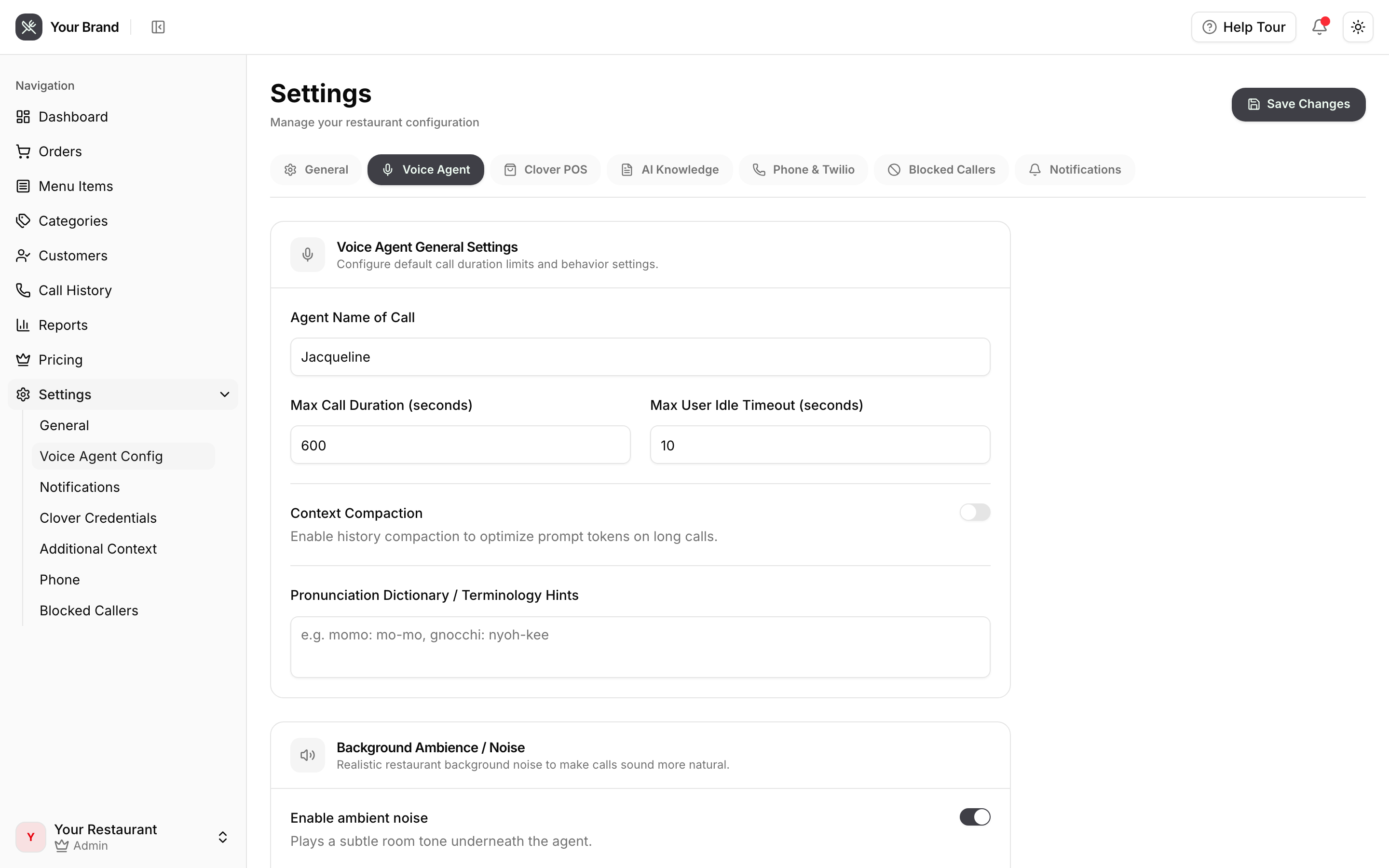
Settings tabs
| Tab | What it controls |
|---|---|
| General | Restaurant name, address, opening hours |
| Voice Agent | The agent's name, voice and personality |
| Clover POS | POS credentials — see Connecting Clover |
| AI Knowledge | Extra context the agent can draw on beyond the menu |
| Phone & Twilio | Your number and telephony credentials |
| Blocked Callers | Numbers the agent should refuse |
| Notifications | Where order and call alerts go |
Voice Agent
Sets who the caller hears: the agent's name, which voice it uses, and how it behaves.
Personality is worth spending a few minutes on. It shapes how the agent handles the awkward moments — a caller who changes their mind halfway through, one who asks for something you don't sell, or one who simply can't decide.
Preview a voice before committing to it.
AI Knowledge
Your menu syncs automatically from Clover, but plenty of what callers ask about isn't on the menu. This is where that goes:
- Parking, accessibility, where to find the entrance
- Allergen and dietary detail that isn't in your item names
- Delivery radius and which services you use
- Holiday hours and closures
- Anything you find yourself repeating on the phone
Write it as plain prose. The agent uses it to answer questions in both order and inquiry mode.
Blocked Callers
Numbers listed here are turned away before the agent picks up. Useful for repeat prank callers and numbers you've already dealt with.
Notifications
Controls where alerts land when an order comes in or a call finishes. Browser push notifications are supported, so staff can be told about a new phone order without watching the dashboard.