Custom domains
Putting your restaurants' dashboards on a domain you own.
Every business gets a subdomain immediately. You can also point your own domain at the platform, so your restaurants never see a hostname that isn't yours.
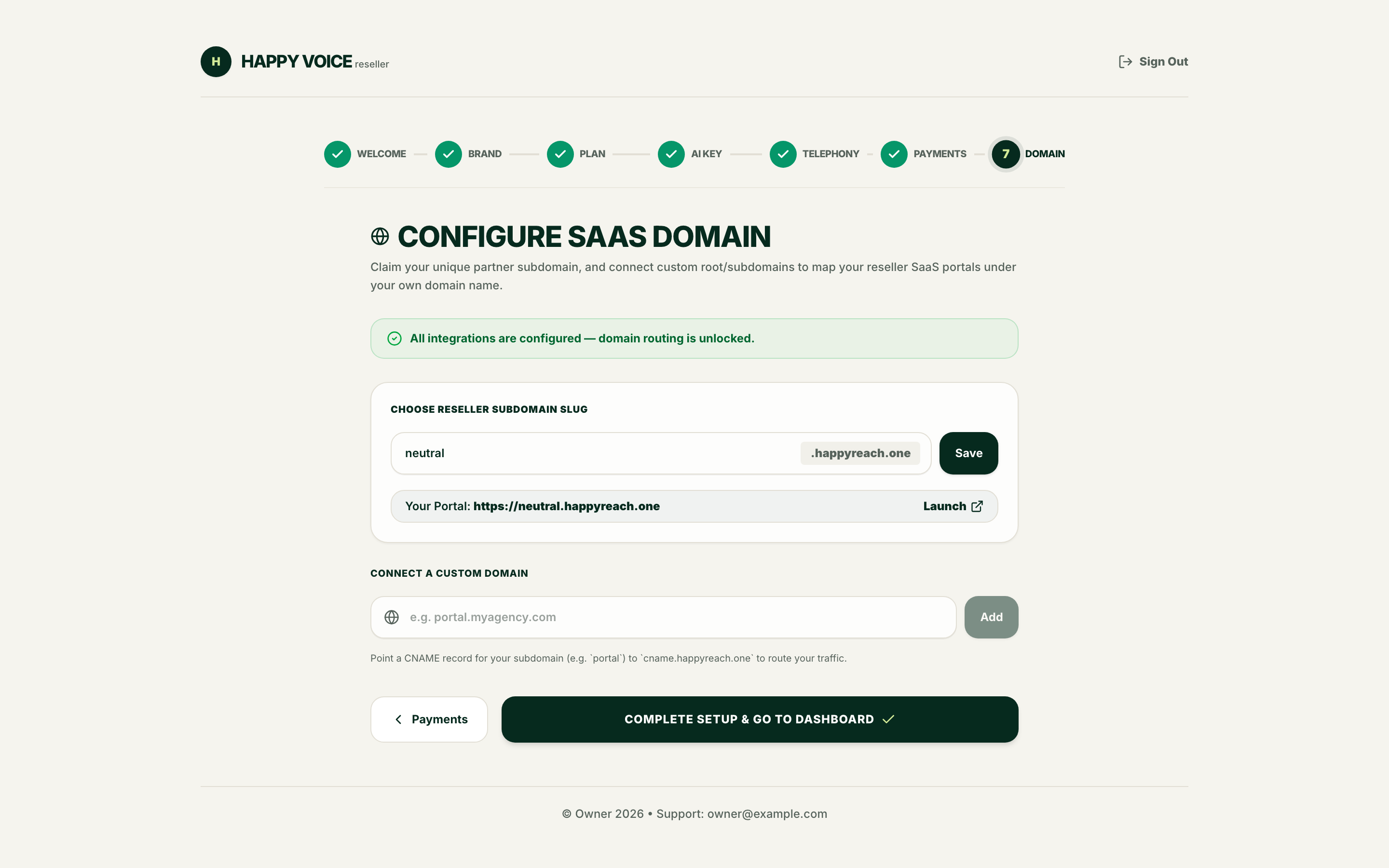
Your subdomain
Set during onboarding step 7 under Choose reseller subdomain slug, and editable later from the Domains page. Lowercase letters, numbers and hyphens only, and it must be a valid DNS label.
Some names are reserved because they collide with platform infrastructure — www, api,
app, admin, docs, mail, status, billing and similar. The form tells you if the
one you want is taken.
Adding a custom domain
Add the domain
Under Connect a custom domain, enter the hostname you want to use — e.g.
portal.yourbrand.com — and press Add.
Create the DNS record
At your registrar, create a CNAME from your chosen hostname to the target shown on the
page (it is displayed inline, in the form cname.<platform domain>).
Alternatively, verify ownership with a TXT record on _happyvoice-challenge — useful
when you can't yet point live traffic at us.
DNS changes take time to propagate. If verification fails immediately after you save the record, wait a few minutes and try again rather than editing the record.
Verify
Press Verify. Once the record is found, the domain becomes active.
HTTPS
Certificates are issued and renewed automatically once the domain verifies. There's nothing to upload and nothing to renew.
Apex domains
A CNAME cannot normally sit on an apex (yourbrand.com with no subdomain). Either use a
subdomain such as portal.yourbrand.com, or use a registrar that supports CNAME flattening
/ ALIAS records.
Managing domains later
After onboarding, the Domains page lists every domain on your account with its verification status, and is where you add or remove them.
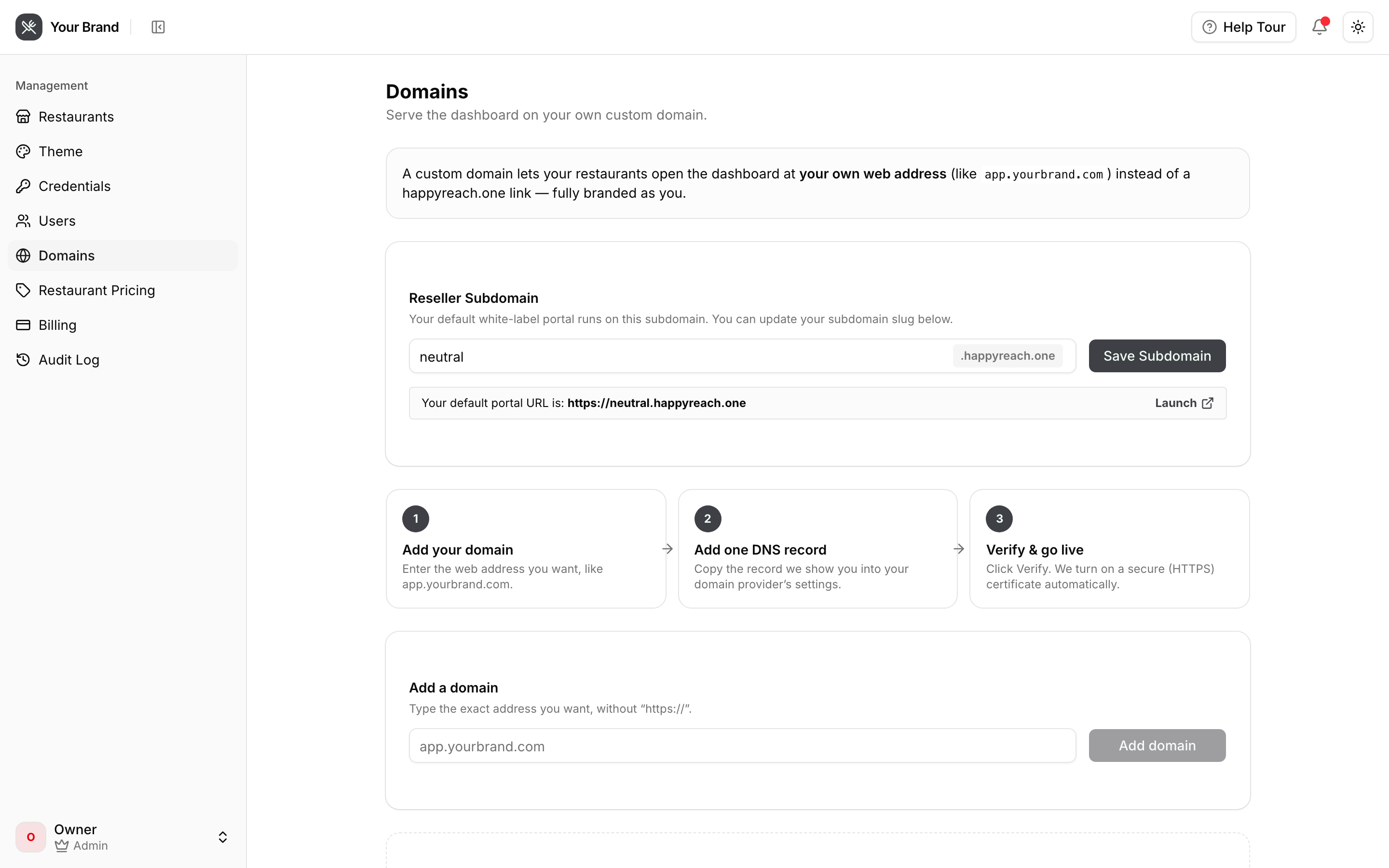
Removing a domain
Delete it from the same page. Do the DNS cleanup at your registrar too — a CNAME left pointing at us after the domain is removed will simply stop resolving to anything useful.