Theming
Taking your brand beyond the onboarding basics — full palettes, light and dark.
Onboarding takes a brand name, a support email and one primary colour. The Theme page is where you go further.
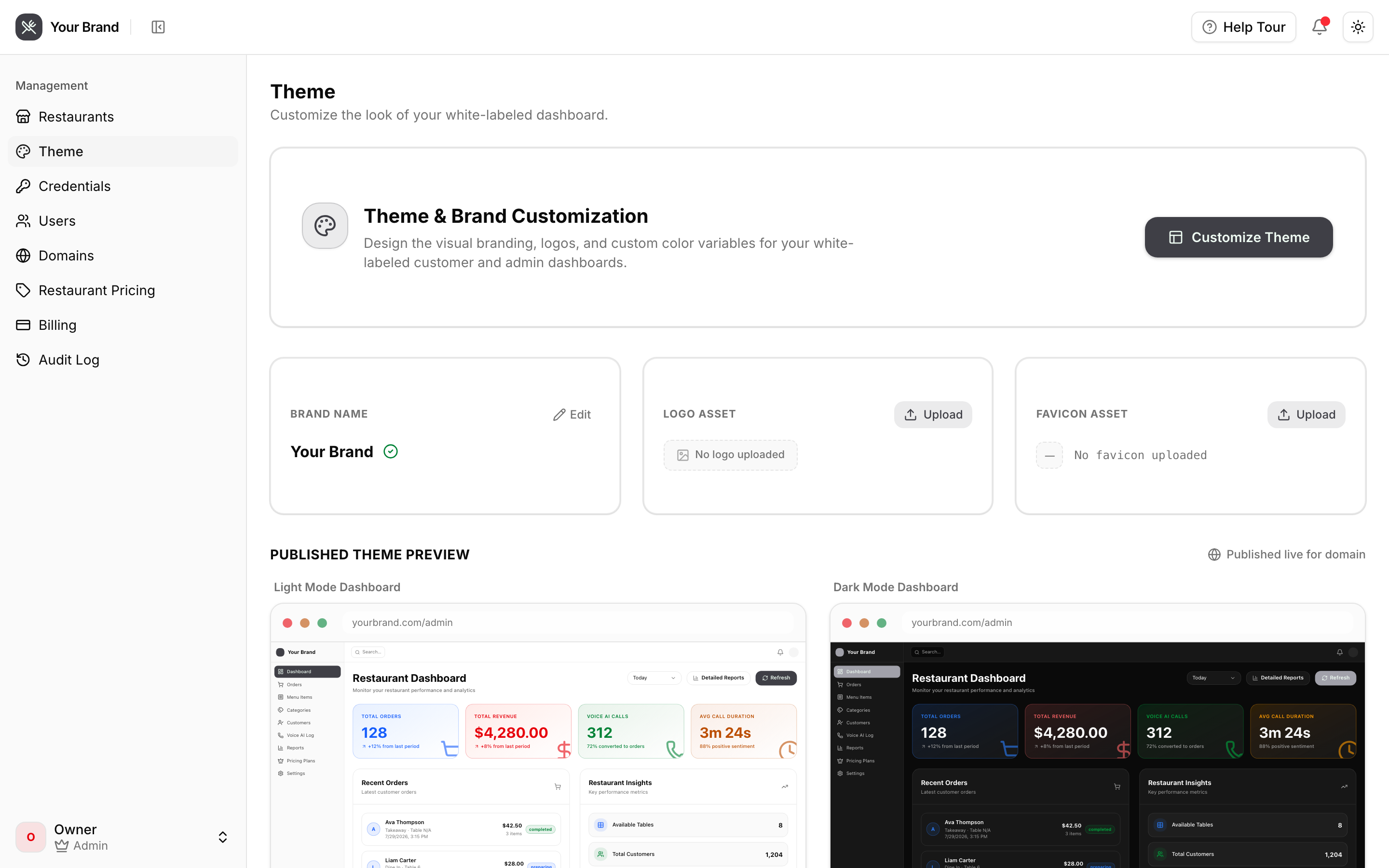
What you can change
| Presets | A starting palette you can then adjust |
| Individual colour tokens | Every token, set independently for light and dark |
| Radius | How rounded the whole interface is |
| Brand assets | Logo and favicon |
Light and dark are separate
Your restaurants choose their own light/dark preference, and you cannot force one. So both palettes need to work.
A colour that reads well on white is often unreadable on near-black, and vice versa. Check both before publishing — the preview switches between them.
The most common mistake is a dark brand colour that vanishes against a dark background, or a pale accent that swallows white text.
The live preview
Changes apply immediately in the preview, and to your own dashboard, so you can judge them in context rather than against a colour swatch. Nothing reaches your restaurants until you save and publish.
What your restaurants get
Everything, automatically: dashboard colours, logo, favicon, page titles and the support email they're told to write to. There is no per-restaurant theming and no way for a restaurant to override yours.
Change it once and every client follows on their next page load.
Beyond colour
Your brand name appears in the interface, in page titles, and in the documentation your restaurants read — the restaurant guide renders under your brand when your clients open it on your domain.